Chapter 6 - Terraform Settings and Providers
The settings and providers blocks
Terraform Settings block
- Used to lock your terraform version
- provider requirements
- Backend (state file)
- only constant settings - no functions
Provider block
Provider block is the HEART of Terraform.
- used to interact with remote systems
- provider configurations belong in the root modules.
Required_version
This is used to set a version constraint on your terraform code.
~- the rightmost minor version.0can be updated to whatever version - pessimistic constraint>- greater than>=- greater than or equal=- equal
Terraform Provider instruction
Every resource type is implemented by a provider. Without providers, terraform cannot manage any infrastructure. Providers are distributed separately from terraform and have their own release cycles and version numbers.
- Provider requirements
- Provider configuration
- Dependency Lock file - locks the version of the provider. Commit this so you get that gate check if you are running different versions of terraform and different providers.
Terraform plan
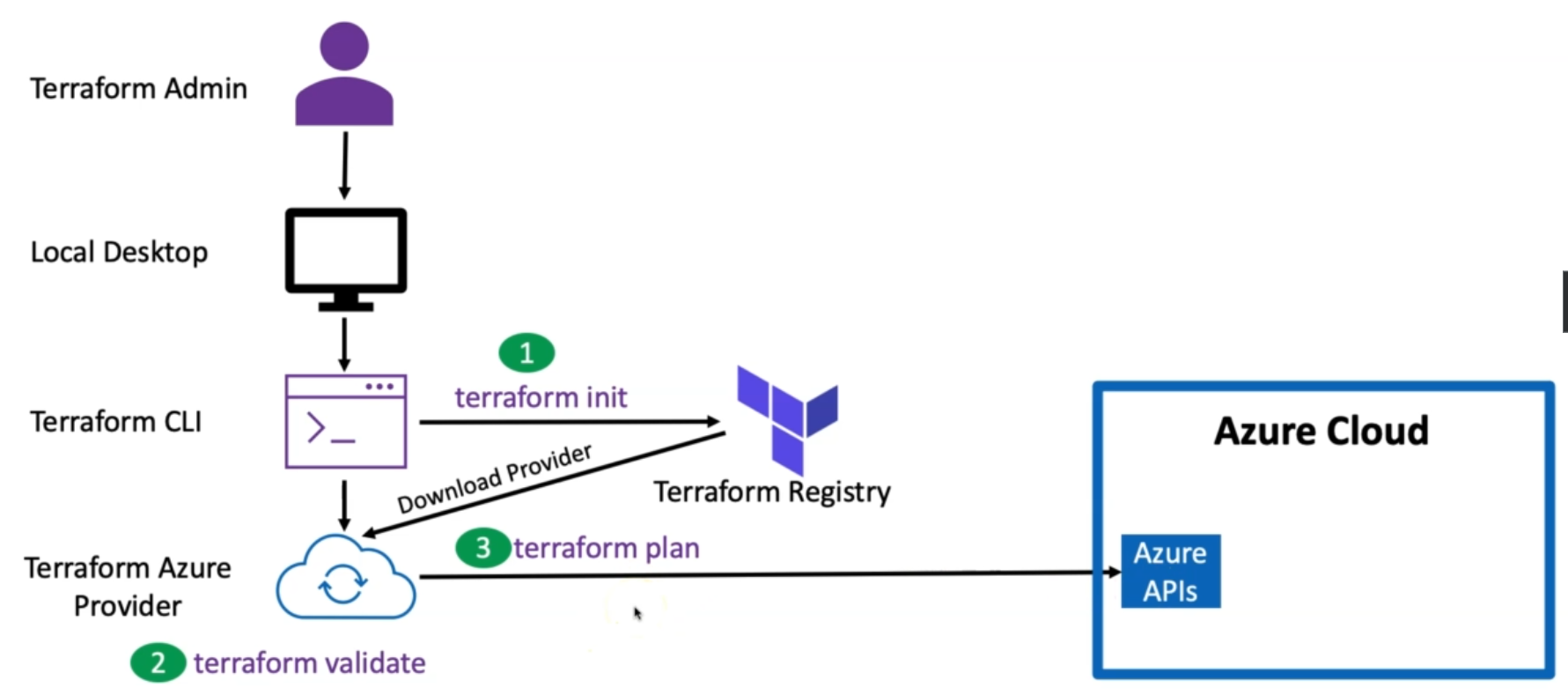
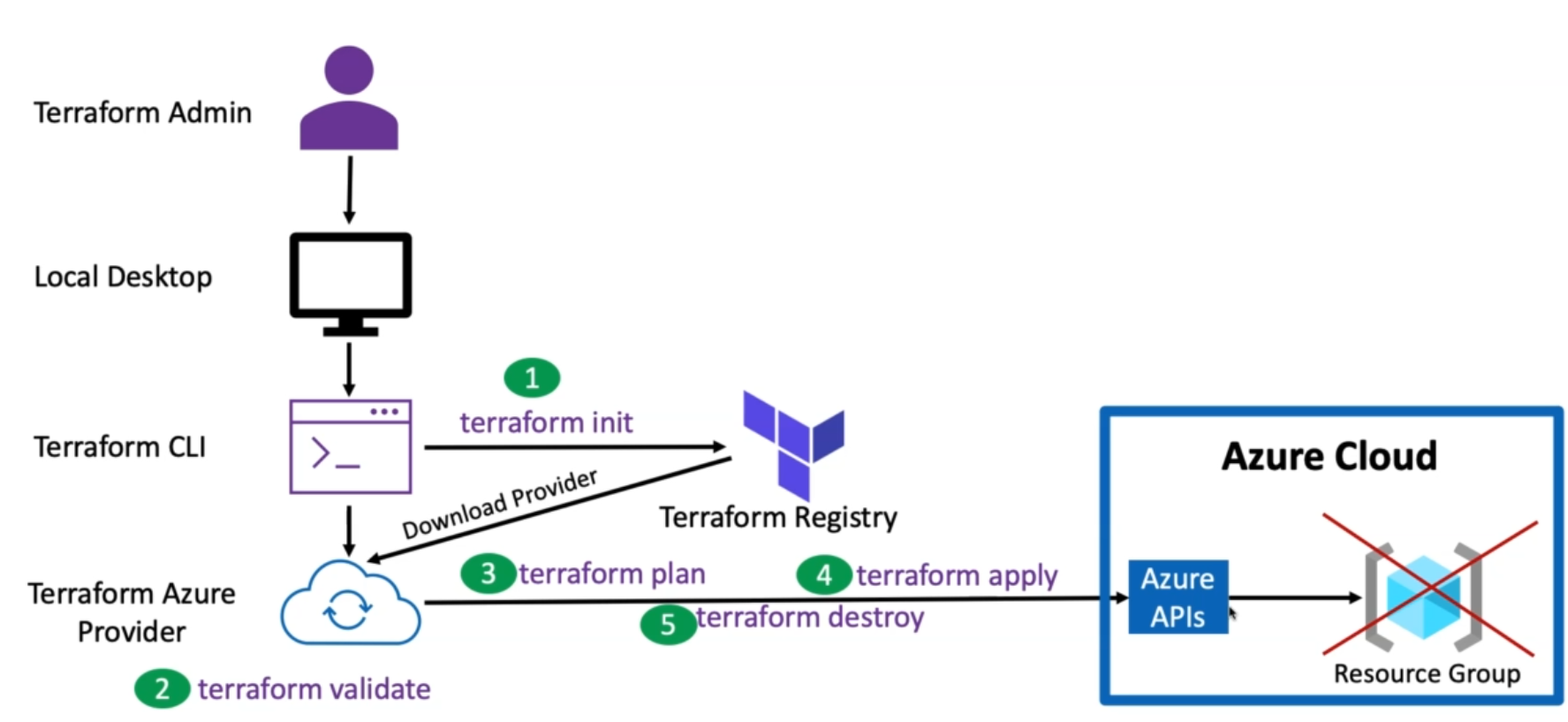
Terraform Destroy
Required Providers block
Local names - module specific and should be unique per module. Users can choose any local name for the provider. It is preferred to use azurerm for the azurerm provider :)
Sources are split by slashes hashicorp/azurerm
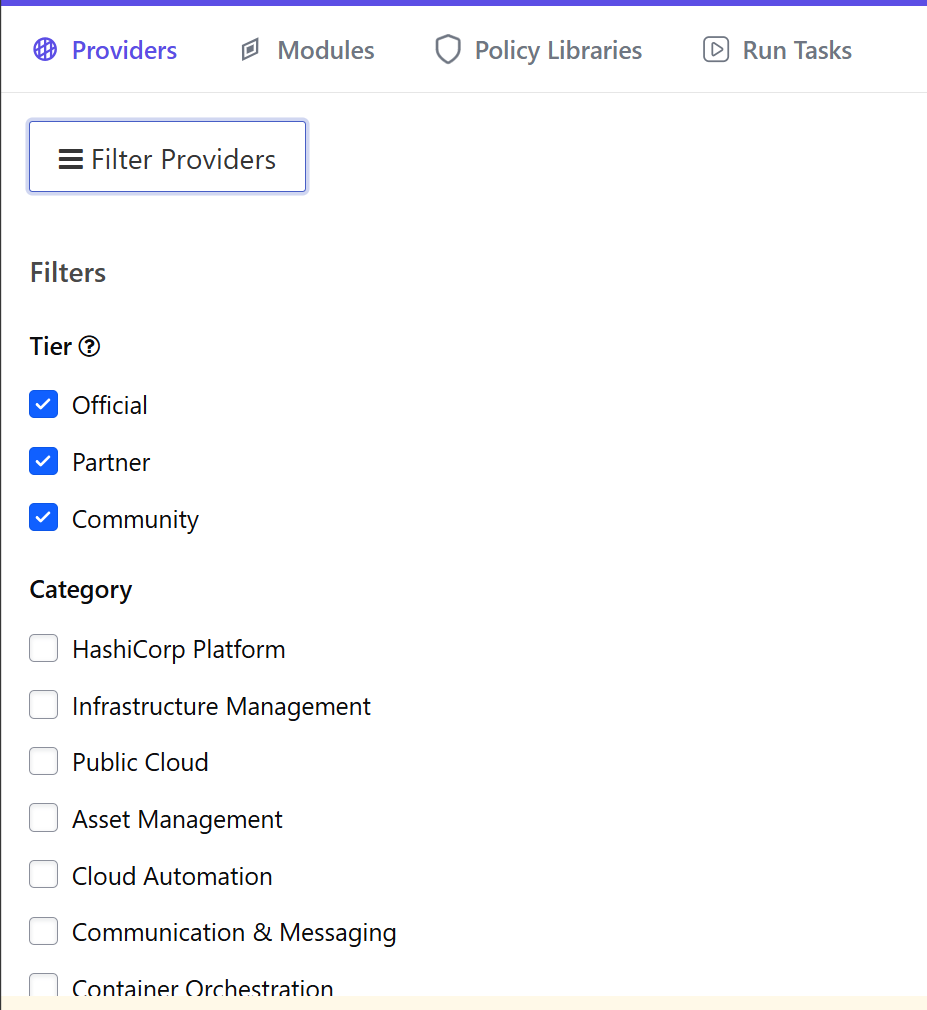
Types of providers
- Official - Contain the *Official badge on the terraform registry.
- Verified/Partner - owned and maintained by third parties
- Community - community providers are published by individual maintainers.
- Archived - no longer maintained by anyone.
Provider documentation
Contained within the provider in the terraform registry.
Understand required_providers
The lock file will lock you to a certain version of the provider. You can switch the providers and then run a terraform init -upgrade to change the provider. Don't need to delete the lock file.
Authentication types
Features block
Key vaults LA workspaces VMSS
Terraform apply and destroy
-auto-approve is an option.
You can then destroy individual resources by removing the code and running a terraform plan and apply.